Power AMS
PlatformOverviewEvent ManagementEvent AppRegistrationMembershipCE CreditsProject ManagementCommunications

Send to the right people.

System Emails fire on lifecycle events. Broadcasts go out from a drag-and-drop composer. Segments and Tags — defined once — target every send, badge filter, and report. One audience, defined once.

System Emails

Lifecycle emails that send themselves.

Registration confirmed. Membership renewed. Card declined. Attendee cancelled. Certificate ready. Each template lives in the System Emails registry — default-ON when the body works without per-event editing, default-OFF when it needs operationally bespoke content the registrar must fill in.
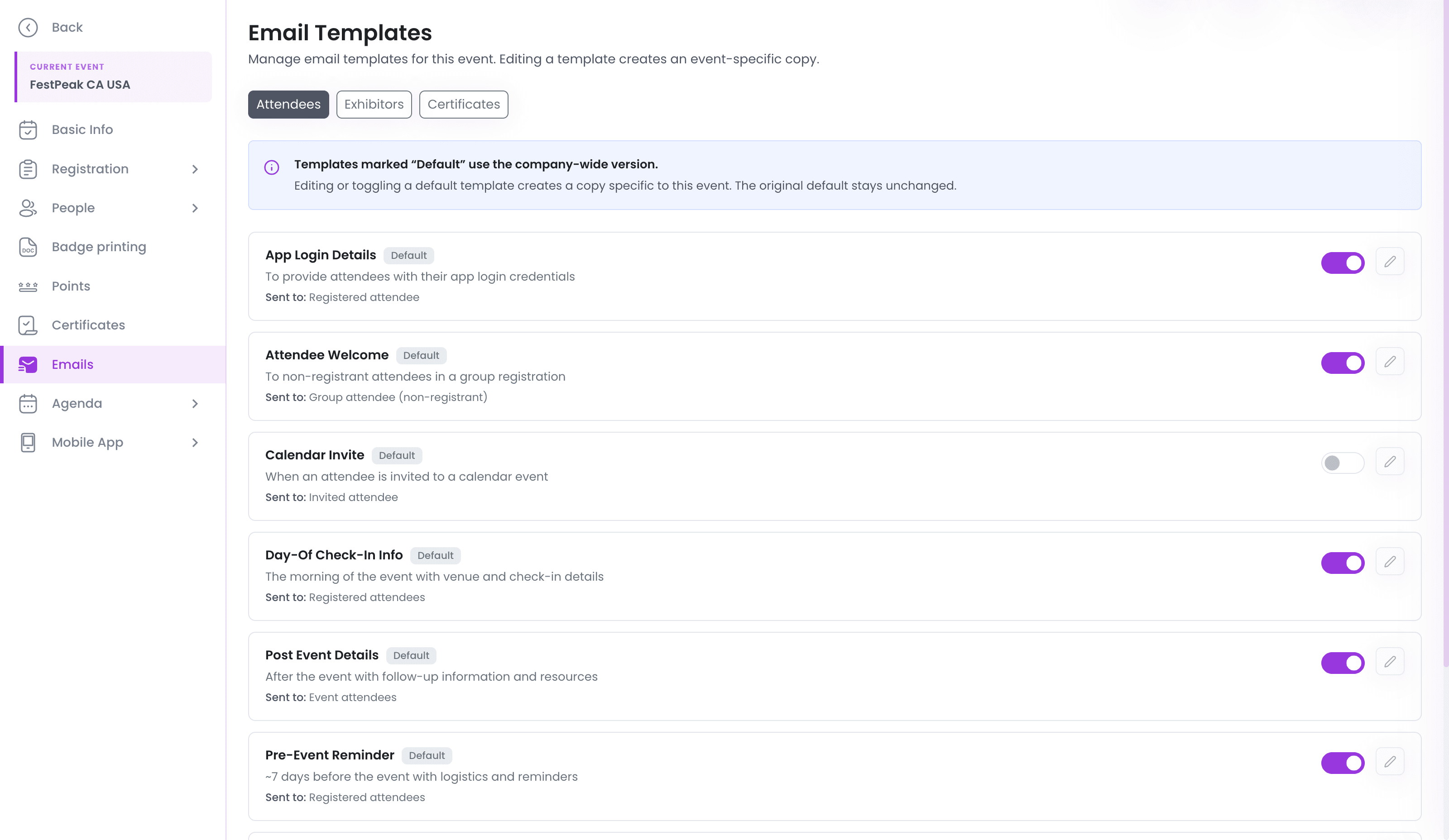
Two-layer template modelOrg-level Default template seeds each new event. Per-event template is independent thereafter. Reset to default re-snapshots from the current default.
On / off per templateToggle defaulted at event creation, independent thereafter.
Audit trailSent emails logged against the recipient record. Open / bounce / unsubscribe tracking.
app.powerams.com / events / emails
The email template registry — lifecycle templates with on/off toggles; editing one creates an event-specific copy
Broadcasts

Compose, target, send.

Broadcasts handle cold outreach and one-off announcements — recipients don't have to exist in the system yet. Composed and sent by a staff user from a drag-and-drop block editor, with merge tags, brand colors, mobile preview, and scheduling built in.
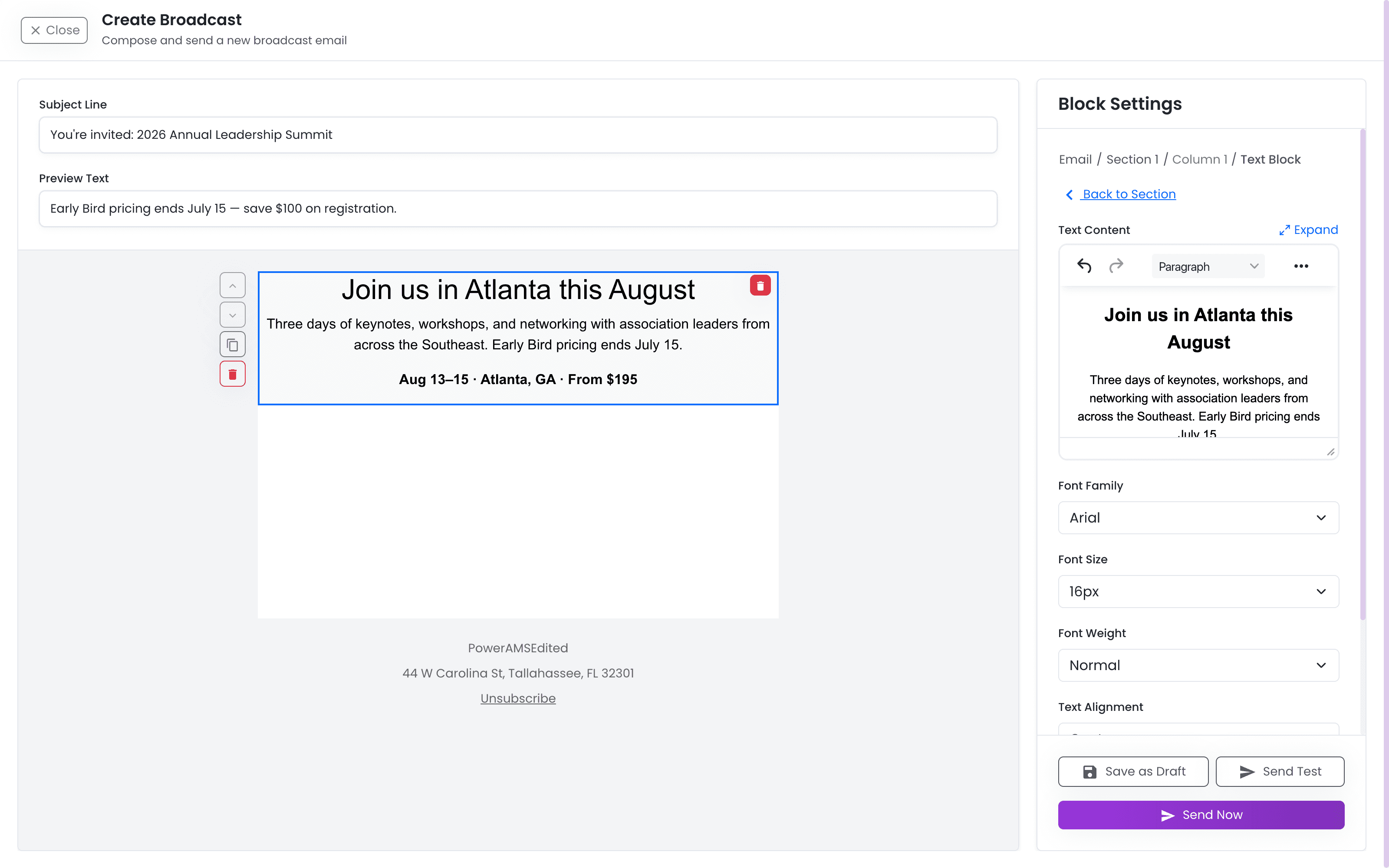
Visual block editorDrag-and-drop layout, brand colors, mobile preview.
Cold outreach OKComposed and sent by a staff user. Recipients don't have to exist in the system yet.
Merge tags + schedulingPersonalize per recipient and schedule the send — built in.
app.powerams.com / communication / broadcasts
The broadcast composer — drag-and-drop email builder with live preview, segment targeting, scheduling, and test sends
Segments & Tags

Define once, reuse everywhere.

Define a Segment once — "Members who attended in 2025 and haven't renewed yet" — and reuse it everywhere: Broadcasts, push notifications, badge print filters, reports. Tags layer on top for ad-hoc grouping.
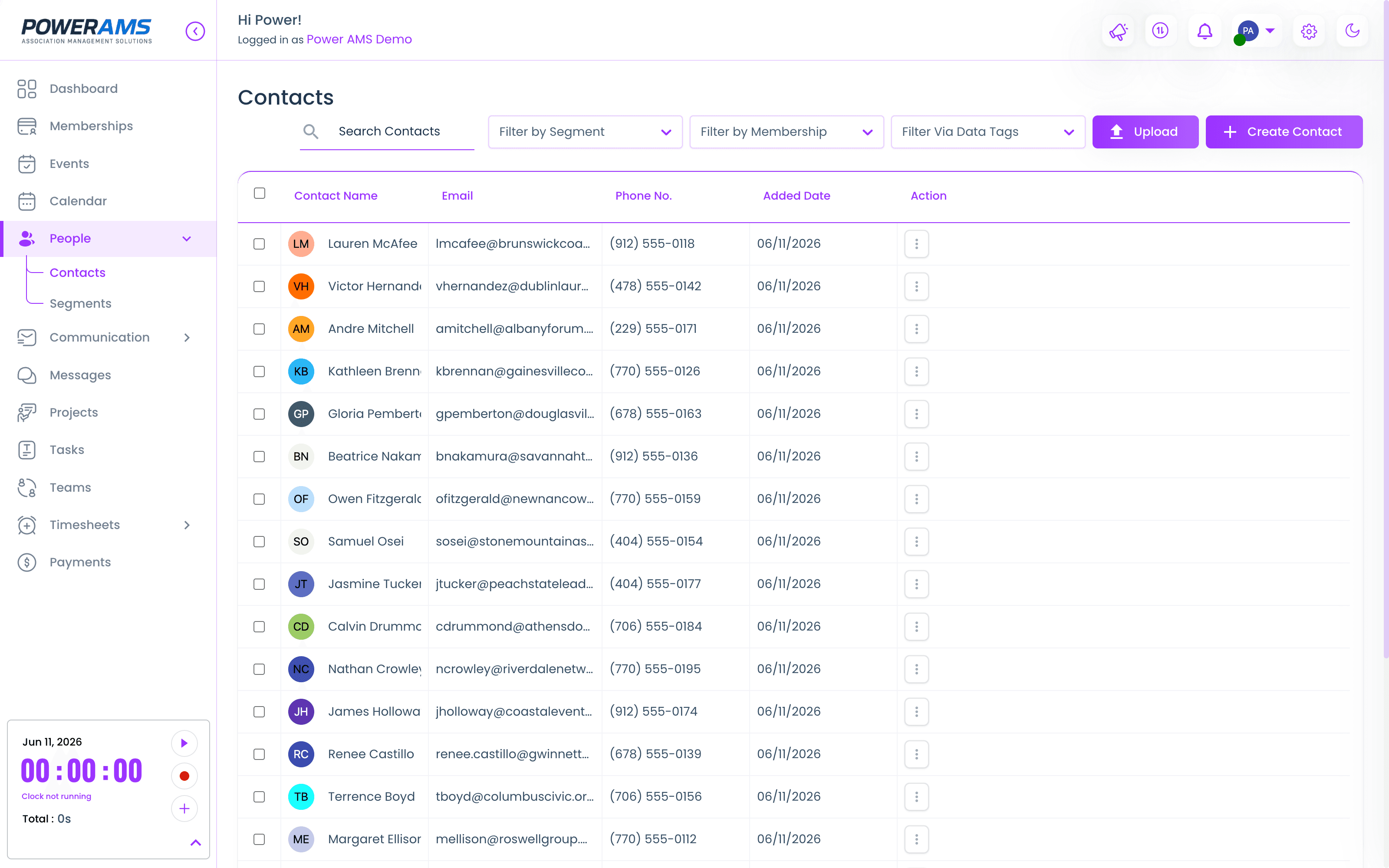
SegmentsDynamic groups — they update automatically as members' status changes.
TagsStatic labels for ad-hoc grouping. "VIP", "Past speaker", "Board".
Reused everywhereThe same Segment targets Broadcasts, System Emails, badge filters, and reports.
app.powerams.com / people / contacts
The PowerAMS contacts database — every member with segment, membership, and tag filters in one table
See it on real sends

Reach the right
people.

30-minute walkthrough. We'll show you the System Emails registry, the broadcast composer, and Segments — on real data.

REACH